# 部署上线
# Window 下 git 生成 SSH Key
# 1、首先你要安装 git 工具
下载地址: ——链接 (opens new window)
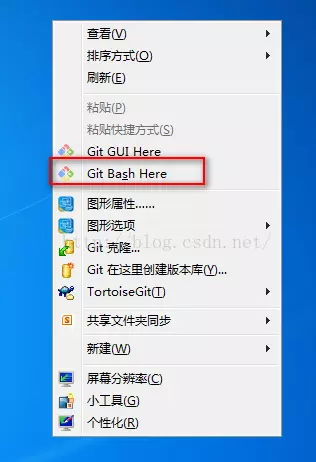
# 2、右键鼠标,选中 “Git Bash here”,当然你也可以在 windows 的 “开始”--->“所以程序”,或者安装目录打开它
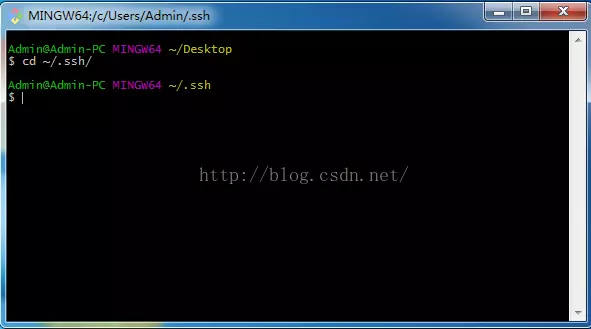
# 3、输入指令,进入.ssh 文件夹
cd ~/.ssh/
# 4、配置全局的 name 和 email,这里是的你 github 或者 bitbucket 的 name 和 email
git config --global user.name "你的用户名"
git config --global user.email"你的公司或个人邮箱"
# 5、生成 key > ssh-keygen -t rsa -C "你的公司或个人邮箱"
连续按三次回车,这里设置的密码就为空了,并且创建了 key。 Your identification has
been saved in /User/Admin/.ssh/id_rsa. Your public key has been saved in
/User/Admin/.ssh/id_rsa.pub. The key fingerprint is: ………………
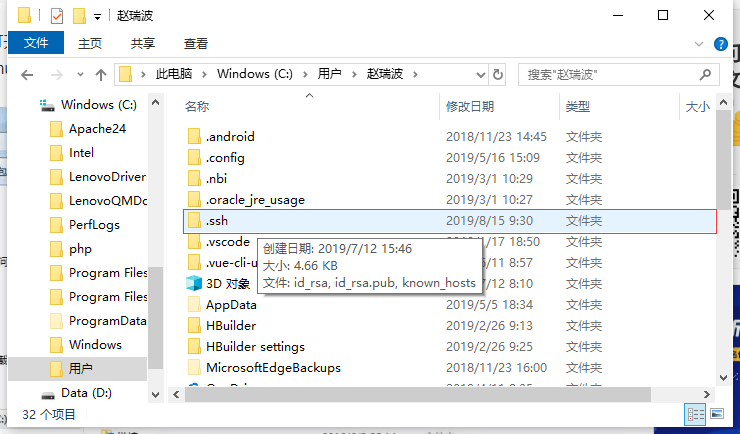
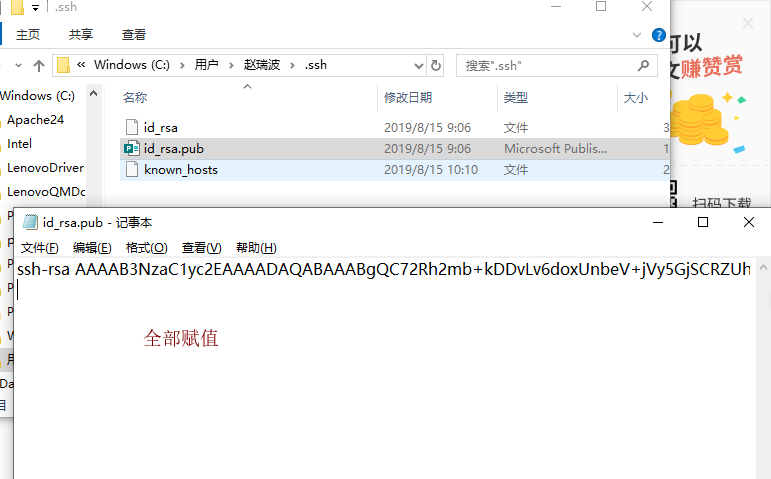
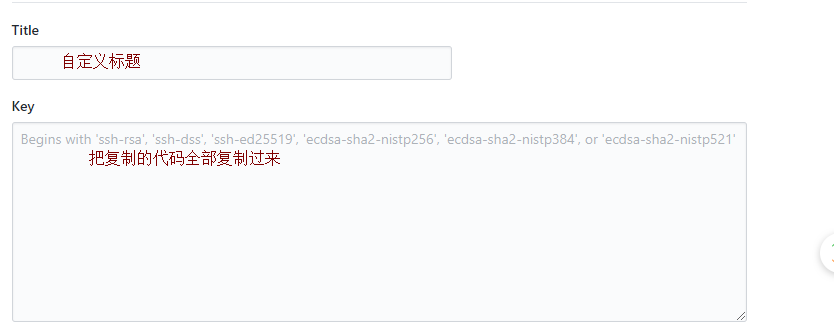
# 6、打开 Admin 目录进入.ssh 文件夹,用记事本打开 id_rsa.pub,复制里面的内容添加到你 github 或者 bitbucket ssh 设置里即可
1. 2.
2.
# 7、测试是否添加成功 ----------可以忽略
github 输入命令:
ssh git@github.com
# 您可能会看到如下警告:
> The authenticity of host 'github.com (IP ADDRESS)' can't be established. > RSA
key fingerprint is 16:27:ac:a5:76:28:2d:36:63:1b:56:4d:eb:df:a6:48. > Are you
sure you want to continue connecting (yes/no)?
# 或者像这样:
> The authenticity of host 'github.com (IP ADDRESS)' can't be established. > RSA
key fingerprint is SHA256:nThbg6kXUpJWGl7E1IGOCspRomTxdCARLviKw6E5SY8. > Are you
sure you want to continue connecting (yes/no)?
# 验证您看到的消息中的指纹是否与步骤 2 中的某条消息匹配,然后输入 yes 回车
> Hi username! You've successfully authenticated, but GitHub does not > provide
shell access.
验证生成的消息是否包含您的用户名。如果收到“权限被拒绝”消息,请参阅“错误:权限被拒绝(公钥)” (opens new window)
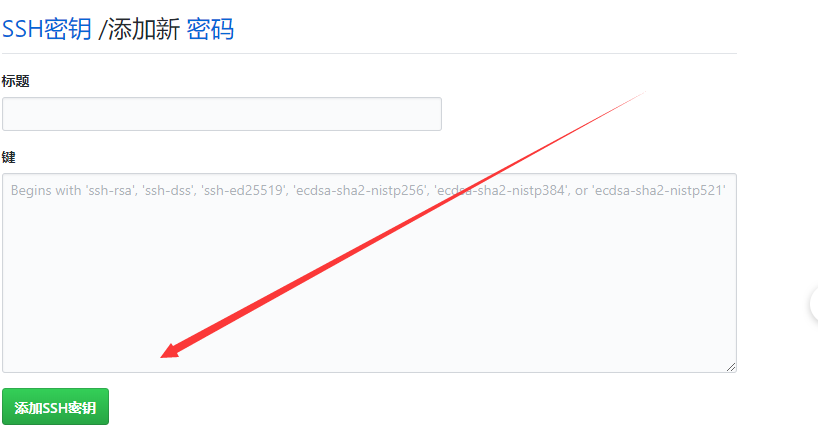
# 8、在 github 的仓库里面添加一个密钥
在自己的github的首页,找到右上角的小三角里面的设置点开,找到SSH和GPG密钥或者SSH
and GPG keys
点击
# 9、这是 Github 的添加 key,点击右上方的头像,选择设置,然后
# 10、这是 github 添加 key
# 上传 github
# 创建一个 deploy.sh
在根目录下创建 deploy.sh 文件
touch deploy.sh
# 编写脚本
#!/usr/bin/env sh

# 确保脚本抛出遇到的错误
set -e

# 生成静态文件
npm run build

# 进入生成的文件夹
cd docs/.vuepress/dist

# 如果是发布到自定义域名
# echo 'www.example.com' > CNAME

git init
git add -A
git commit -m 'deploy'

# 如果发布到 https://<USERNAME>.github.io
# git push -f git@github.com:<USERNAME>/<USERNAME>.github.io.git master

# 如果发布到 https://<USERNAME>.github.io/<REPO>
# git push -f git@github.com:<USERNAME>/<REPO>.git master:gh-pages

cd -
# 设置 package.json
{
    "scripts": {
        "deploy": "bash deploy.sh"
      },
}
运行命令: npm run deploy 即可自动构建部署到 github 上。